I (Kinda) Vibecoded My Personal Website And Here’s How You Can Do It Too
I’ve been writing on Substack for several years, but my personal website goes back to 2013. Substack is great for newsletters, but it's limiting: you need a tight niche and the platform is focused on writing only. I wanted more flexibility: to post other content or sell a course and other services. So I decided to revamp my personal site.
With that much experience I had clear requirements:
Easy writing experience: I wanted the simple, focused editor feel Substack gives, not a dozen setup steps and dependency installs.
Static site generator: No database or backend code. I wanted a static site for speed, simplicity. I prefer storing posts in Git for versioning and portability.
Fun to build: This was a personal project, so I wanted to enjoy the process and learn something new without spending weeks hand-coding everything.
I already knew some of the tools I wanted to use and after a quick research I filled the gaps in my knowledge.
Here’s what I used to build my website, how I built it and how you can build one, too.
The Web Designer: Google AI Studio
Just like you and everybody else in tech, I’ve been using AI since it became accessible. Recently I’ve been enjoying the Google AI ecosystem with Gemini models, NotebookLM, and related tools, so I chose Google AI Studio to start with. It’s simple to use and provides instant feedback, letting you see results immediately.
I opened AI Studio and asked it to generate a minimalist static website for GitHub Pages. In under two minutes it produced a beautiful theme. The project used React, the Vite build tool, and Tailwind CSS (are we back to the times when we were hardcoding styles in the HTML instead of using CSS?). I wasn’t familiar with React or Vite, so I read more about them and decided to proceed with this stack.
I’ve been writing on Substack for several years, but my personal website goes back to 2013. Substack is great for newsletters, but it's limiting: you need a tight niche and the platform is focused on writing only. I wanted more flexibility: to post other content or sell a course and other services. So I decided to revamp my personal site.
With that much experience I had clear requirements:
Easy writing experience: I wanted the simple, focused editor feel Substack gives, not a dozen setup steps and dependency installs.
Static site generator: No database or backend code. I wanted a static site for speed, simplicity. I prefer storing posts in Git for versioning and portability.
Fun to build: This was a personal project, so I wanted to enjoy the process and learn something new without spending weeks hand-coding everything.
I already knew some of the tools I wanted to use and after a quick research I filled the gaps in my knowledge.
Here’s what I used to build my website, how I built it and how you can build one, too.
The Web Designer: Google AI Studio
Just like you and everybody else in tech, I’ve been using AI since it became accessible. Recently I’ve been enjoying the Google AI ecosystem with Gemini models, NotebookLM, and related tools, so I chose Google AI Studio to start with. It’s simple to use and provides instant feedback, letting you see results immediately.
I opened AI Studio and asked it to generate a minimalist static website for GitHub Pages. In under two minutes it produced a beautiful theme. The project used React, the Vite build tool, and Tailwind CSS (are we back to the times when we were hardcoding styles in the HTML instead of using CSS?). I wasn’t familiar with React or Vite, so I read more about them and decided to proceed with this stack.
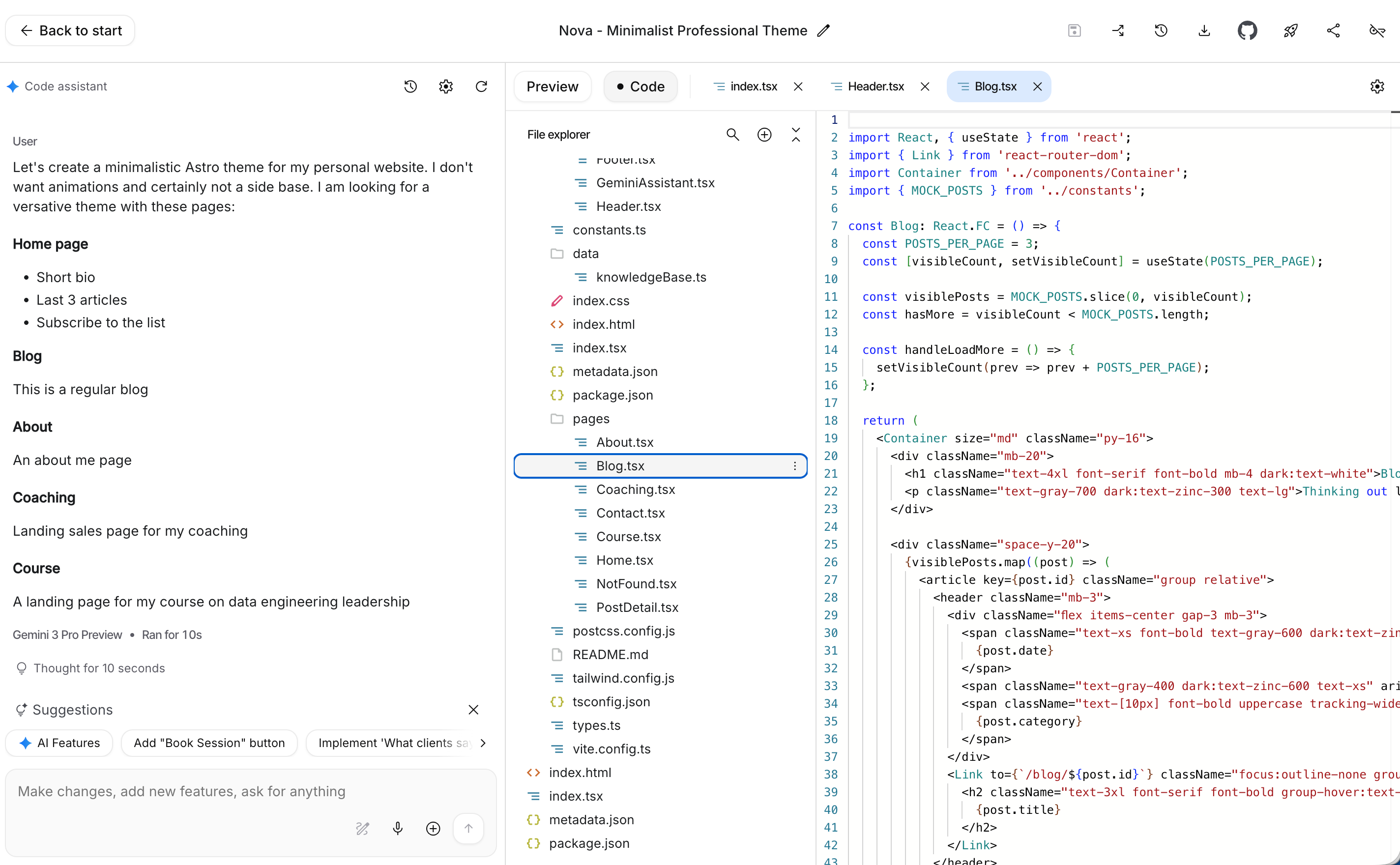
After building the initial homepage, I worked with AI Studio to refine the content and define the site structure. Clarified what I wanted on the homepage, specified other pages, and finalized the website layout.
I refined the website’s visuals and added a dynamic dark/light theme that follows the user’s system preference. I loved the result!
Another reason for picking AI Studio is because, in my experience, it always tries to add some kind of a Gemini integration. I wanted an AI feature and had an idea, but wanted to see what it would propose.
The AI generated a compact widget for one of the pages. You’d ask a question and it would reply having in mind who am I wand what I work. My idea was a a bit bigger, but this was a great start.
The entire process from zero to a functioning website took about under an hour. Impressive, isn’t it?
CMS: Pages CMS
I already had a website, but I didn't want to deal with coding or maintenance every time I wanted to write. Running git pull, installing or updating dependencies, and troubleshooting build issues would drain my time and energy before I’d have the chance to write.
I wanted a simple content management system (CMS) that lets me just write. I looked at many options: hosted services, open source projects, and hybrid tools. I was willing to pay a small fee for a personal site, but I wanted to try different solutions first. Most of them fell short.
Then I found Pages CMS. I tried installing it and discovered it was a free, hosted service. It solved the main problem: minimal setup and maintenance so I can focus on writing.
You need to give it access to your GitHub site. It reads a YAML configuration and builds an interface from that file. You fill in the details and it commits automatically to your branch. Yes, it also manages branches so you can create new ones and work without breaking your production deployment.
The core idea behind PagesCMS is simple and that simplicity makes it powerful. So, no Ronan, it doesn’t suck. It’s actually amazing!
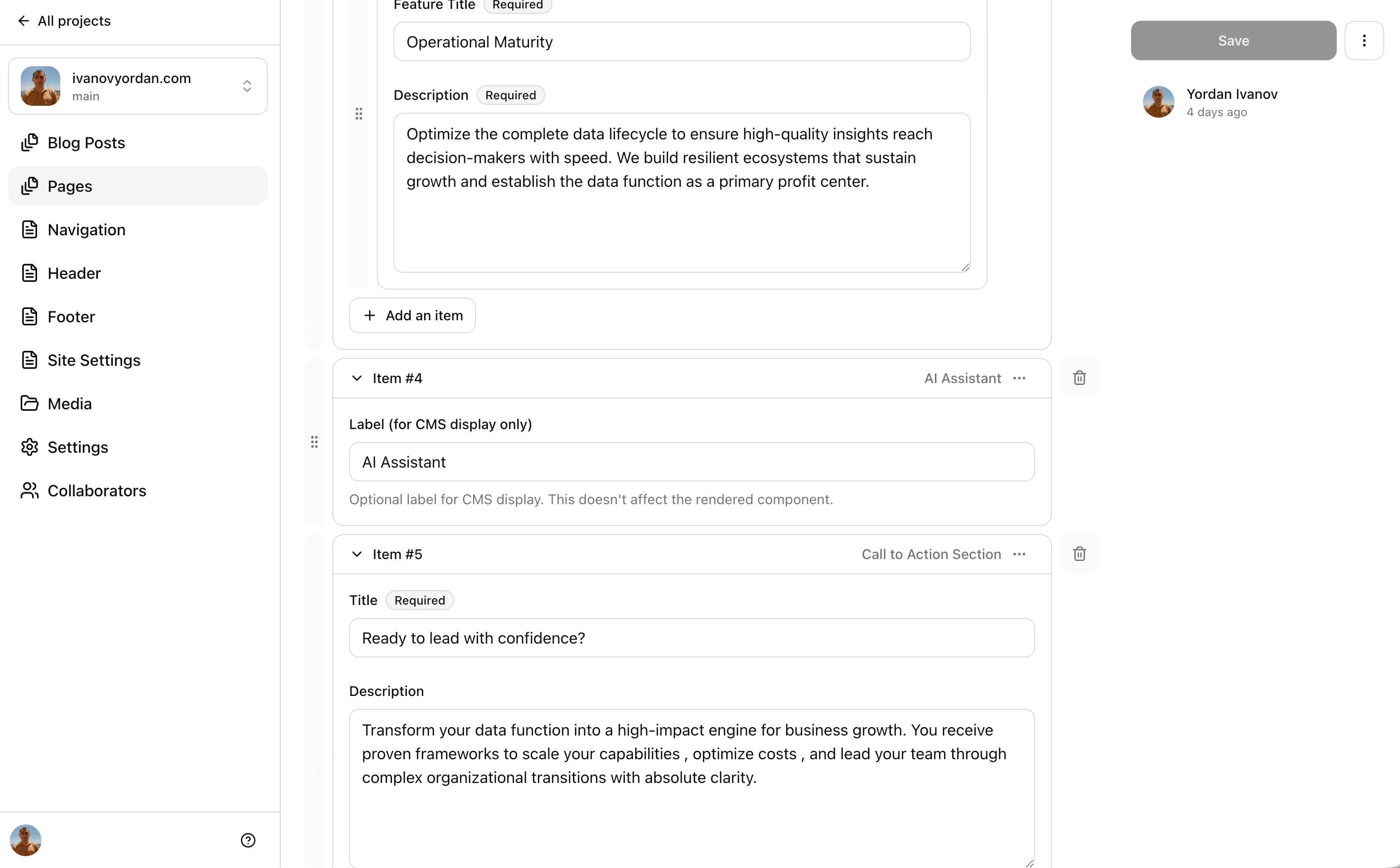
The problem with AI is that it often spits out massive amounts of hardcoded, inflexible code. And this basically makes your code incompatible with any CMS. To address that, I work with the model to build reusable components and surface them in the page CMS. That way creating content is one click: press “new post” and the file is created in the right place so you can start writing immediately. Media uploads go where they should automatically.
But the real leap are the building blocks. To construct a page I want to assemble sections from prebuilt components with zero code. Just focus on creating content.
So, I pulled the project locally, started the app, and pointed Cursor to the Pages CMS documentation page. After a few iterations with the AI, I had the required building blocks. The AI generated a massive configuration file.
Need a hero section? Click. Need a hero with video? Click. Need an accordion or FAQ? Click. Everything is a button, so you don’t have to manage implementation details.
Hosting: Cloudflare Pages & GitHub Actions
I have a functioning static site with a friendly content management system. It’s ready to deploy.
GitHub Pages is the obvious simple option: free, easy, and integrated with your code host. I’ve used it in the past and it works well. But I already manage DNS and other projects in Cloudflare, so I chose Cloudflare Pages.
Here’s the setup:
CI/CD: a GitHub Actions workflow builds the site and pushes the output to Cloudflare Pages.
Cloudflare Pages: connected to the GitHub repository to receive deployments.
Build pipeline: the workflow runs npm install, builds the site, produces the distribution files, and deploys them to Cloudflare.
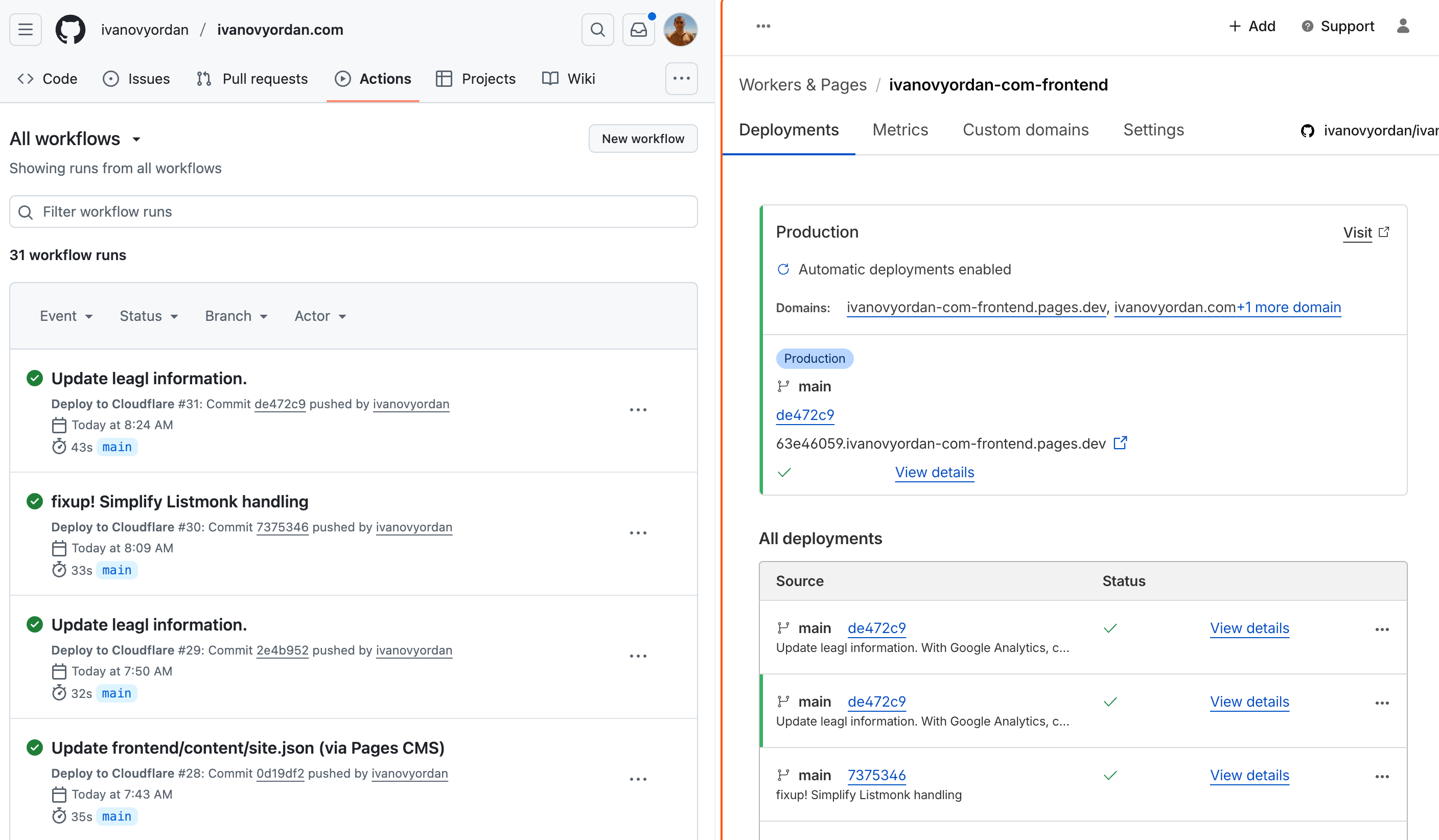
The result: content authoring stays simple, while the change travels through a professional CI/CD pipeline, producing a production-ready static site.
I didn't write a single line of code. I only observed the result, navigated it, and it was done.
Email List: Listmonk & Cloudflare Workers
The website was deployed and working. Now, I already use Substack and keep a separate email list for announcements, so adding a small email subscription box on the homepage was a no-brainer.
For the “marketing” list I use listmonk, a self-hosted open-source service. It’s less flexible than some commercial tools like Kit, but it meets my needs.
listmonk can embed its own form, but I want a prettier, client-side experience with no page refresh. The site is React-driven at the end of the day.
Since the website lives on Cloudflare, I used Cloudflare Workers as a serverless backend. Workers let you run code without managing infrastructure: an HTTP request invokes the function, infrastructure is born, the function runs, then everything disapears.
I created th listmonk role and API user, stored the credentials in the Workers secrets, and generated a TypeScript worker to accept the email from the subscription box. The worker calls the listmonk API to create the subscriber and triggers a welcome email. The worker returns a success response to the frontend, which shows a green confirmation message. The whole flow runs in a fraction of a second.
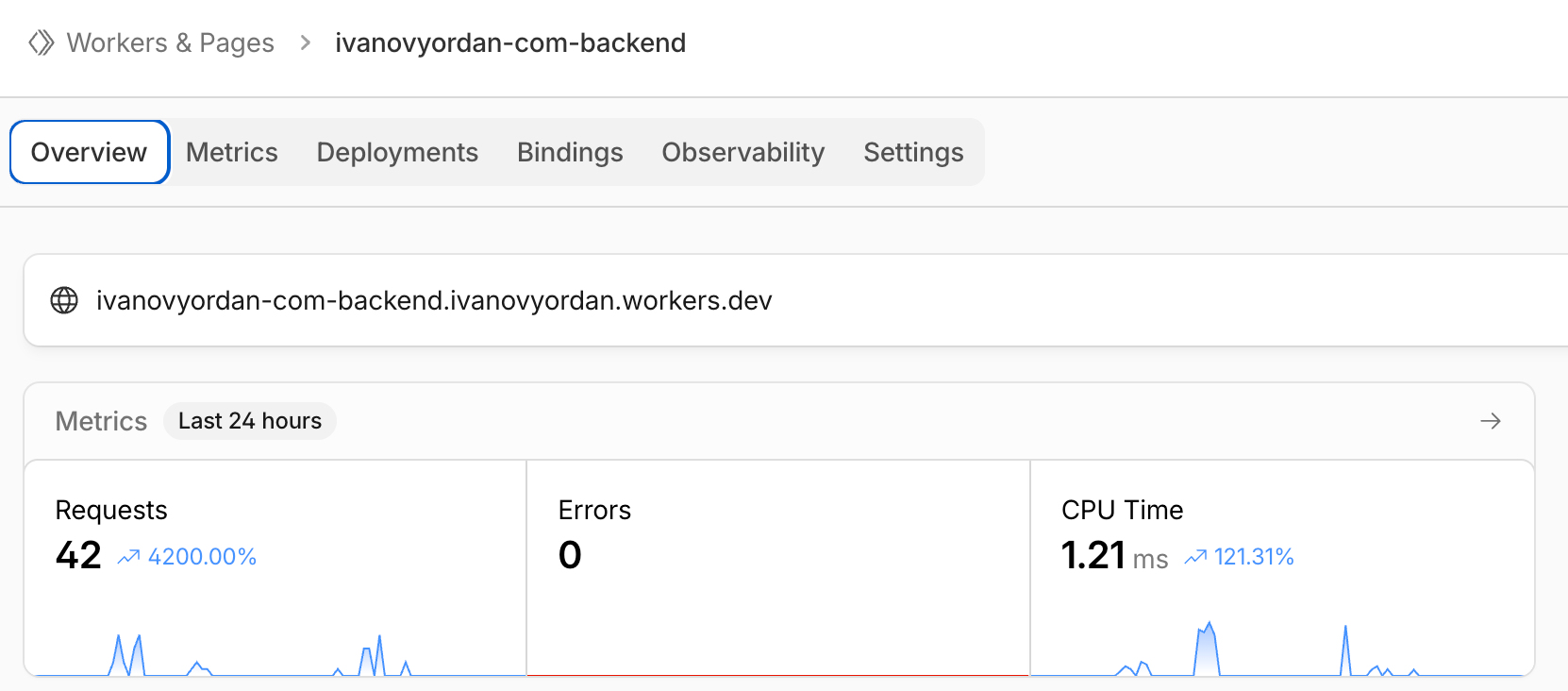
We no longer have a static site. I have a full JAMstack site: fast, modern, and backed by serverless APIs that respond when needed. It still works without JavaScript, though. Core content renders as static HTML, while dynamic features use backend endpoints only when required.
Digital Twin: Gemini & a Whole Lot of Other Tools
When everything else was ready, I began implementing the AI feature, the main reason for building this site. It's a large, complex component, so I’ll dedicate a full post to it.
Instead of generic chat, I decided to build a digital twin. Yes, it’s a buzzword, digital twin is the term people use for AI that can search and reason over your knowledge.
You achieve the final result with RAG: retrieve, augment, generate.
Retrieve: index and fetch the relevant documents or data from your knowledge store.
Augment: enrich the user query with retrieved context and any application-specific prompts or instructions.
Generate: produce the final output using the augmented prompt and the model.
This pipeline ensures the AI answers from your source material rather than relying on its base knowledge alone.
But to do that, first, you need data stored somewhere so you can provide it to the AI.
I write a lot and have published hundreds of articles over the years. I decided to build the initial version of a digital twin of my “second brain”. It starts with an ETL pipeline: an n8n instance pulls data from my second brain, transforms it, and pushes structured embeddings into a vector store (Pinecone). When I update notes, n8n reprocesses so the store stays current.
On the website, an AI box sends the user query to Cloudflare Workers. The backend receives the question, embeds it with Gemini, searches the vector store, and retrieves relevant knowledge. We then augment a carefully crafted prompt with those retrieved snippets to avoid hallucination and ensure the model only uses the provided knowledge. A Gemini model generates the response and returns it to the user.
I intentionally kept the client simple: a request-response interface rather than streaming tokens. The hardest part was cleaning up the first implementation. The initial code was a single massive function.
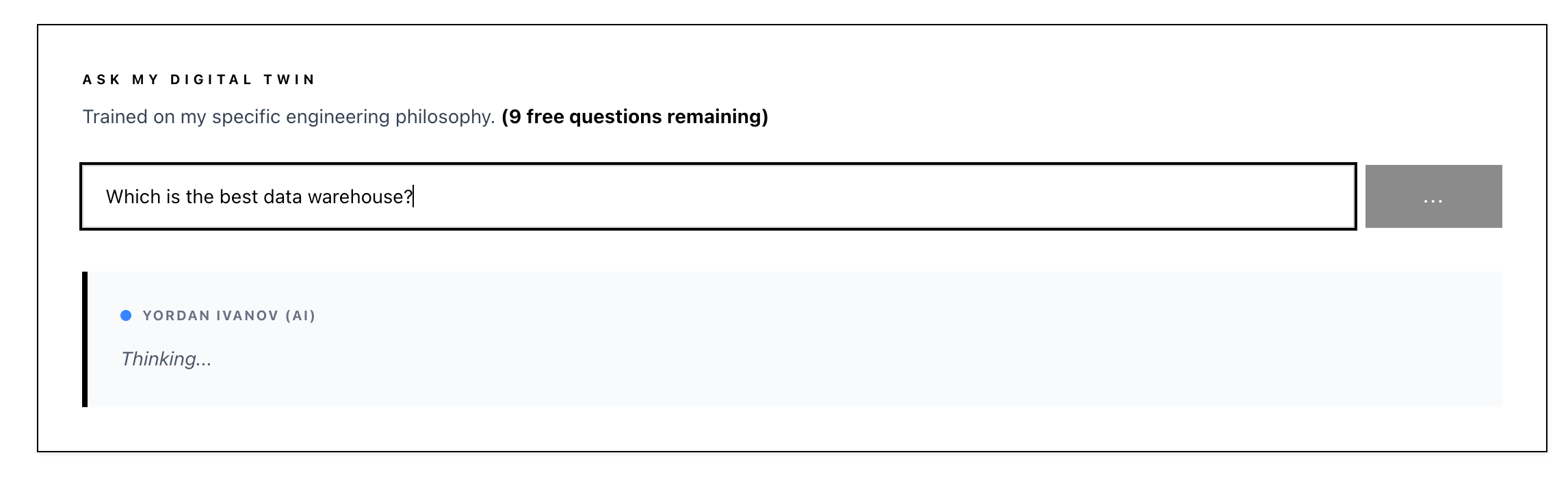
I had to specify the architecture, libraries, versions, and models to produce a maintainable result. Now the system reliably maps queries to my ThoughtSpeak second brain and returns accurate answers. That’s a proper, pragmatic use of AI.
After showing my team an initial version of the AI feature, Daniella suggested storing user questions as inspiration for newsletter articles. I was hesitant at first because of privacy concerns, but since users choose to provide questions and I’m transparent about the practice, I decided to proceed.
I used Cloudflare D1, a hosted SQLite service, and created a small table to track each question. I also record whether I found a response and the user’s location for personal analytics. Setup was straightforward and user-friendly, and I didn’t need to worry about hosting or resource allocation.
Tracking Your Data
After all the functionalities were done, I focused on final polishing and observability.
I’ve used Sentry for over a decade, so integrating it was the only logical choice for client-side error tracking.
For backend monitoring I enabled Cloudflare’s logging features in the configuration. That gives quick visibility into server errors and request-level issues. To understand user behavior I added Google Analytics for page views, session length, and feature usage like AI features and the email subscription box.
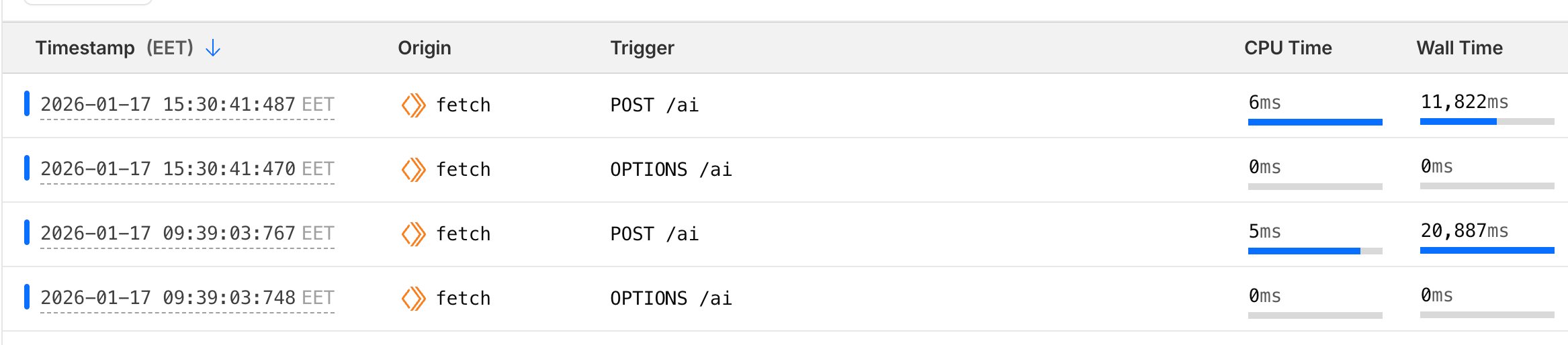
All tracking is disabled if you decline consent through the consent banner I added at the bottom of the site. Consent is enforced: declining prevents event firing and data collection.
For details on PII tracking and related topics, see my Privacy Policy and Terms of Service.
Closing Words
Working on this project was quite fun. It reminded me that building and polishing websites requires time and attention to detail. But modern AI tools accelerate development when you know how to use them.
With the power of LLMs, I completed the site and its features in two or three evenings while balancing family time, newsletter, gaming and other activities. The result is clean, reusable code that scales well when guided with clear instructions.
The workflow felt familiar from mentoring junior engineers: define the goal, explain why the implementation matters, and let the developer (or the tool) to produce the code. And voice dictation further speeds iteration.
How much does it cost? While I was planning to spend some coins every month, building and hosting this doesn’t cost me a dime!
Cloudflare Pages and Pages CMS are completely free. Cloudflare workers, GiHub Actions, Gemini and all other services I use are have free tiers so generous that you can never outgrow with a personal project.
The only actual paid too I use is Cursor, but Dext, the company I work for, pays for this one.
If you’re interested, take a look at the repository, clone it, and make it your own.
Thanks for reading!